Officejet Pro 9025E Honest Review — Is the Hype Justified?
Electronics
Introduction
I've been using the HP Officejet Pro 9025E as my primary home-office printer for several months now. I bought it to replace an aging monochrome laser that couldn't handle occasional color jobs, double-sided scanning, or the mixed workflows I deal with (invoices, color presentations, photos for reference). In this review I’ll share what I liked, what frustrated me, and whether the buzz around this model is actually justified for someone like me who works from home and occasionally prints larger batches.
First impressions and setup
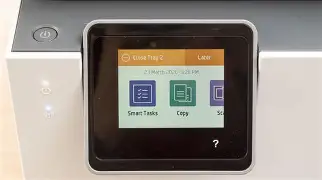
Out of the box the Officejet Pro 9025E felt solid and slightly heavier than the all-in-ones I've had before. The design is compact enough to sit on a small credenza, and the control panel is dominated by a large color touchscreen that makes setup straightforward. I appreciated the simple paper tray loading and the clearly labeled ink cartridges. Setup took me longer than expected because the printer nudged me to sign into an HP account during initial configuration — I did this reluctantly because it unlocked certain features and cloud printing options.
What I found was that the basic printing features work right away without the cloud account, but to get the "E" benefits (extra ink trials, firmware updates through HP cloud features, or certain smart features), HP asks you to enroll. If you prefer to avoid account ties, factor that into your decision.
Daily use — printing, scanning, and copying
After a few months of daily and weekly use, here's how the 9025E performed for the tasks I do most:
- Text printing: Text is consistently sharp. For letters, contracts, and invoices I couldn't tell the difference between the prints from this inkjet and documents I used to get from my old laser — black is clean, with good edge definition.
- Color printing: Color documents, charts, and presentation handouts look vibrant and office-appropriate. Saturated photos are decent on glossy photo paper, but the output doesn't match a dedicated photo printer or high-end inkjet aimed specifically at photographers. For my needs (reports and color charts), the color quality was more than good enough.
- Speed: In typical office-mode printing (mixed text and graphics), I averaged roughly a page every 3–4 seconds for black, and roughly 5–7 seconds for color pages. In short jobs, warm-up time and the initial processing sometimes made small print jobs feel slightly slower than a laser, but for multi-page documents the speed felt competitive.
- Scanning and ADF: The automatic document feeder (ADF) and built-in scanner are genuinely useful. I regularly scan multi-page documents and the duplex (two-sided) scanning saved me several steps. Scans at 300 DPI were clean and OCR-ready; higher-resolution scans showed more noise but were still usable for archiving important documents.
- Copying: Copies are quick and accurate; color copies are acceptable though not perfect for photos. For everyday office copying the 9025E handled black-and-white copies flawlessly.
Software, connectivity, and mobile printing
I used the printer over Wi‑Fi, wired Ethernet, and occasionally through USB. My experience:
- Wi‑Fi and network setup: The HP Smart app simplifies setup and offers guided steps. I occasionally needed to re-enter Wi‑Fi credentials after router changes, but once live the connection stayed stable. The printer supports both Wi‑Fi and Ethernet; if you want absolute reliability in a busy home network, Ethernet is a good fallback.
- Mobile printing: Mobile printing via HP Smart and AirPrint (iOS) worked well. Sending documents from my phone or tablet was painless. The HP Smart app adds features like cloud scan-to-folder and photo enhancement, which I used a couple of times for quick scans to email.
- Software features: The printer's touchscreen offers shortcuts and presets for common tasks (scan to email, two-sided copy, etc.). I liked the ability to create custom presets for specific print jobs, but the touchscreen occasionally lagged when navigating deep menus.
Running costs and ink
I was selective about how to discuss cost, because this is where real ownership experience matters. The ink cartridges themselves are more expensive than generic ones, and the individual color cartridges mean you replace only the depleted color rather than a single tri-color cartridge — that helped me manage costs because my usage was mostly black and occasional color.
I signed up for HP’s subscription service for a while (I wanted to test cost smoothing and convenience). What I noticed was:
Looking for the best Electronics deals on Amazon?
View Offers →- The subscription reduced the planning hassle — ink arrived before I ran out in most cases.
- The service made ink cost predictable, but it did lock me into HP's ecosystem; canceling was straightforward but required attention to timing if you wanted to avoid paying for a final partial month.
- If you print infrequently, the subscription can be less economical than buying cartridges intermittently. For moderate-to-high usage it made sense and lowered my per-page cost.
One thing that bothered me was that the printer occasionally reported “low ink” while still printing acceptably; HP's diagnostics are conservative, which is good for avoiding mid-job outages but can lead to discarded cartridges earlier than necessary if you replace at first warning.
Reliability and maintenance
Over several months I experienced a couple of paper jams, usually when I experimented with thicker paper types or tried to print on envelopes. Standard office paper ran smoothly. Printhead maintenance cycles are automatic, and I did notice the printer performing short cleaning cycles before heavy color jobs; those cycles use a little extra ink but kept print quality consistent. Firmware updates arrived a few times and installed without incident, although I prefer these to be opt-in rather than mandatory.
Build quality is good — the paper path feels robust and the trays lock securely. Consumable access is easy; cartridges are straightforward to replace without tools or menu gymnastics.
What I appreciated
- Compact, professional design that fits a small home office without dominating the desk area.
- Excellent text quality — perfect for contracts, invoices, and client documents.
- Reliable duplex scanning and a helpful ADF that saved time on multi-page workflows.
- Reasonably fast for a color inkjet in its class; multi-page print runs are efficient.
- Flexible connectivity options (Wi‑Fi, Ethernet, USB) and solid mobile printing.
What disappointed me
- Ink costs with OEM cartridges are noticeable; the printer nudges you toward subscription services that may not suit everyone.
- Initial setup encourages creation of an online account to access full features — I prefer offline-first devices.
- The touchscreen sometimes lagged and the UI had a few odd menu placements that were non-intuitive.
- Photo output is decent but not exceptional; if you do a lot of photo printing, a photo-focused printer would be better.
- Occasional paper jams with heavier media and envelopes.
Pros & Cons
- Pros:
- Sharp, professional text output
- Fast duplex printing and duplex scanning
- Good all-around color for office documents
- Convenient mobile printing and cloud features
- Easy cartridge replacement and clear maintenance prompts
- Cons:
- OEM ink costs are high without a subscription
- Setup steers you toward an HP account
- Touchscreen UI can lag
- Not ideal for high-fidelity photo printing
- Some jams with heavier media
How it compares — quick table
| Feature | Officejet Pro 9025E (my experience) | Typical Monochrome Laser (example competitor) | Photo-focused Inkjet (example competitor) |
|---|---|---|---|
| Best use | Mixed office work: documents, color charts, duplex scanning | High-volume black text printing | High-quality photo and color prints |
| Text quality | Excellent | Excellent | Very good |
| Color quality | Good for office needs | Poor / none | Excellent |
| Running cost (typical) | Moderate to high (without subscription) | Lower per-page for black | High (photo inks costly) |
| Scanning/ADF | Duplex ADF — convenient for multi-page | Often available but varies | Often single-pass ADF varies |
| Speed (typical office) | Good — competitive for color inkjet | Faster for black-only large runs | Slower, prioritizes quality |
Buying guide — is this the right printer for you?
Here are questions I asked myself when deciding to buy the 9025E, and how you can use them to decide:
How much do you print?
If you print hundreds of pages monthly and mostly in black, a monochrome laser is likely cheaper per page. If you print a mix of black documents and color charts occasionally, this Officejet is a good balance. I print a few hundred pages per month including color charts and found the 9025E's flexibility valuable.
Do you need duplex scanning or a reliable ADF?
If yes, the duplex ADF on the 9025E is one of its strong points. It saved me time regularly when scanning multi-page contracts.
Are running costs a priority?
Consider an ink subscription if you want predictable costs and automatic deliveries. If you prefer to shop ink separately, plan for higher upfront cartridge prices. I used the subscription for convenience and felt it made the ownership experience smoother, but I switched off the subscription after a while when my print volume dropped.
Looking for the best Electronics deals on Amazon?
Shop Amazon →Is mobile and cloud printing important?
The HP Smart app is well designed for casual mobile printing and scanning; if you rely heavily on printing from smartphones or cloud services, the 9025E integrates nicely. If you want an entirely local setup without any cloud account, know that some advanced features will be unavailable.
Do you need high-quality photo prints?
If photo printing is a priority, look at a dedicated photo inkjet. For business graphics, slides, or occasional casual photos, the 9025E is more than adequate.
Space and noise constraints
The unit is reasonably compact but not tiny. It’s louder than a quiet home inkjet during color pages and print head maintenance cycles, but I found it acceptable in a home-office environment. If you need something whisper-quiet in a bedroom office, check noise reviews or consider a different model.
Final thoughts and conclusion
After several months of real-world use the Officejet Pro 9025E has become a dependable workhorse in my home office. What I valued most was the combination of excellent text quality, fast duplex printing, and genuinely useful duplex scanning. The touchscreen and software features add convenience, and mobile printing is genuinely simple to use.
However, the model is not perfect — ink costs can be noticeable without a subscription, the setup experience pushes you toward cloud features, and the touchscreen occasionally lags. If you want dedicated photo-grade prints or you print predominantly black-and-white at very high volumes, there are better niche choices. But for a mixed workflow where you need professional-looking documents, occasional color, and solid scan/ADF performance, the 9025E delivered consistently in my experience.
Would I buy it again? Yes — but with the expectation that I would evaluate ink subscription vs. cartridge purchasing based on my monthly print volume and that I'd set aside a little patience for the occasional firmware update and paper-tray tuning. For many home-office users and small-business owners, the hype is largely justified: it’s a versatile, capable all-in-one that handles typical office tasks well while offering a handful of conveniences that actually save time day-to-day.